Create virtual debit cards, check balances, and manage spending — all from a conversation in Claude Desktop.
Set up in 5 minutesNo apps to learn. No dashboards to navigate. Just talk to Claude like you normally would.
Spin up a debit card with a spending limit in seconds. One card per task, no overages.
See how much is held and how much has been spent across active cards.
Get the full card number, CVV, and expiry when you need to paste them somewhere.
List every card — active, used, or closed — with balances and status at a glance.
Done with a card? Close it instantly. Any unused hold is released back to your card.
You approve every card. Claude asks, you confirm. No surprises on your statement.
Real scenarios where a virtual card makes your agent more capable.
Let Claude purchase API access from OpenAI, Anthropic, or any provider — with a card that expires after use.
Spin up a card for AWS, Vercel, or Supabase. Set a limit so your agent can't overspend.
Have Claude buy a domain, a SaaS subscription, or a digital product on your behalf.
Give your agent a real card to test checkout flows, verify integrations, or validate payment UIs.
Let Claude sign up for research databases, data APIs, or analytics platforms that require payment.
Create a card for a single billing cycle. When you're done, close it — no recurring charges.
No code, no config files. Just paste a URL.
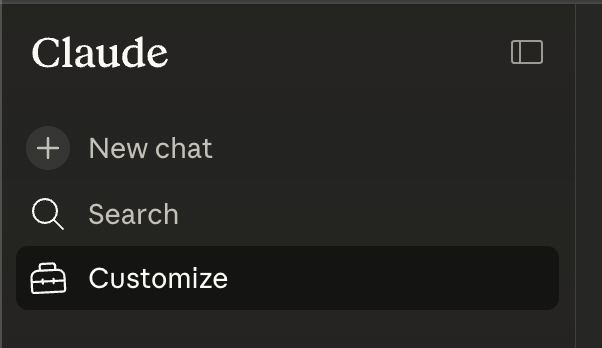
Open Claude.ai, expand the sidebar and click on "Customize".
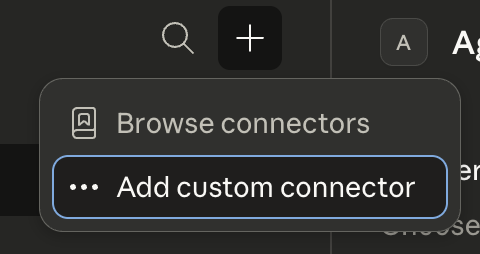
Click Connectors, click "+" and then Add custom connector.
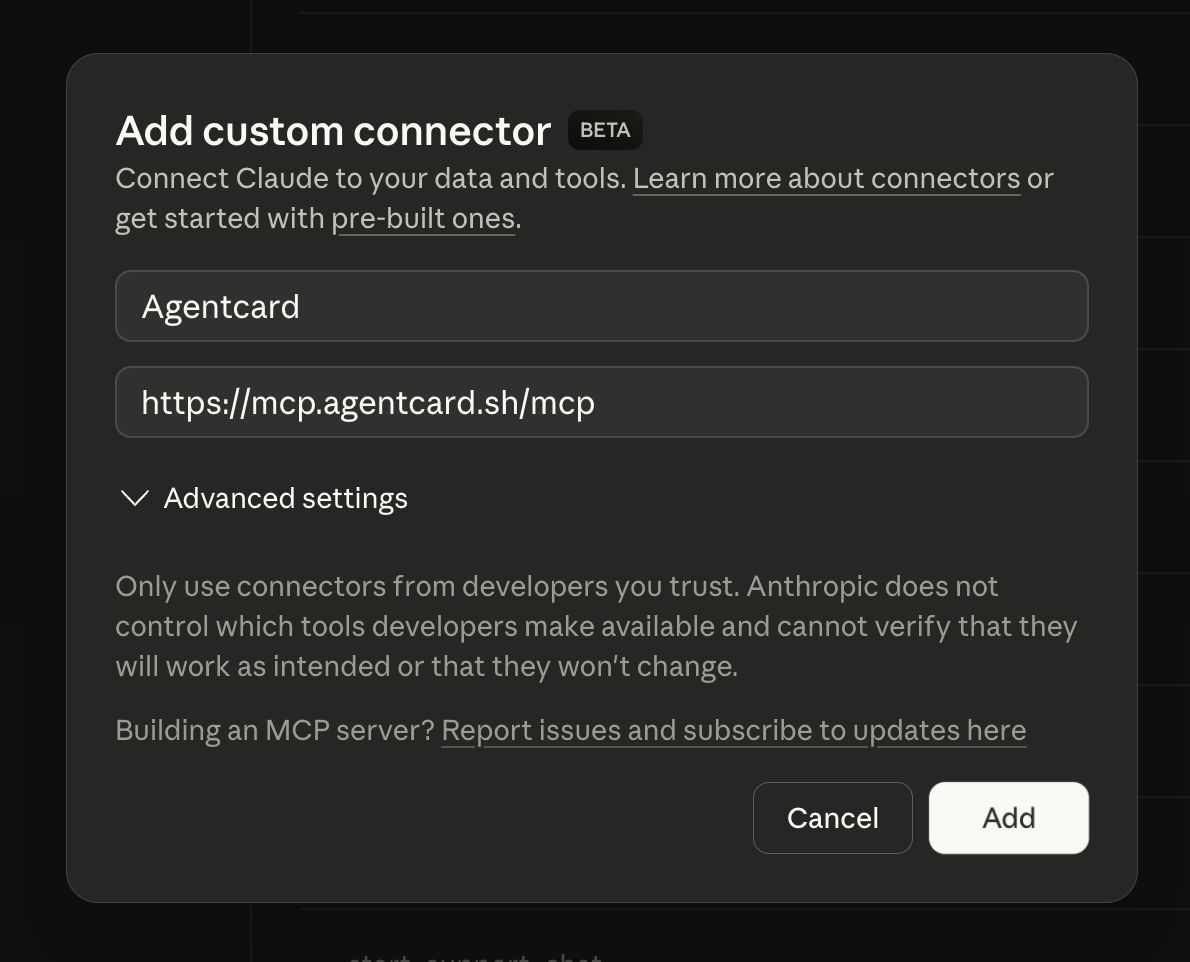
Paste this URL into the connector field:
Check your email for a magic link from AgentCard. Click it to authorize Claude Desktop.
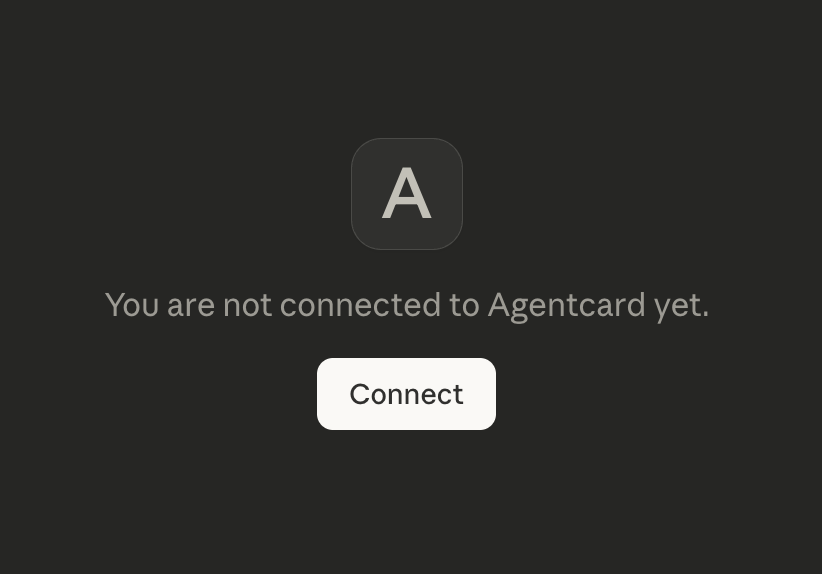
That's it. Start a new conversation in Claude Desktop and ask it to create a card.
Add your payment method, connect Claude Desktop, and create your first card in under five minutes.
Get started with AgentCard